
AI Novel Translation Gets a Whole New Look
A completely redesigned experience for translating, reading, and managing your books — with a clearer workspace, easier glossary editing, and new step-by-step guides.
We've completely redesigned AI Novel Translation based on community feedback and around the work you do the most: translating a book, checking a passage, keeping names consistent, and settling in to read. The new experience is now the default across the site. Your existing projects, files, chapters, and glossary entries are still there.
-
Everything has a place in your project - Move between your overview, chapters, files, glossary, and settings from one sidebar. The Translate button brings you back to your last opened project, so it's easier to pick up where you left off.
-
More room to read and edit - Show the source, translation, or both, and open the panels you need alongside your chapter. Edit text with automatic saving, check glossary terms, and review AI suggestions without losing your place.
-
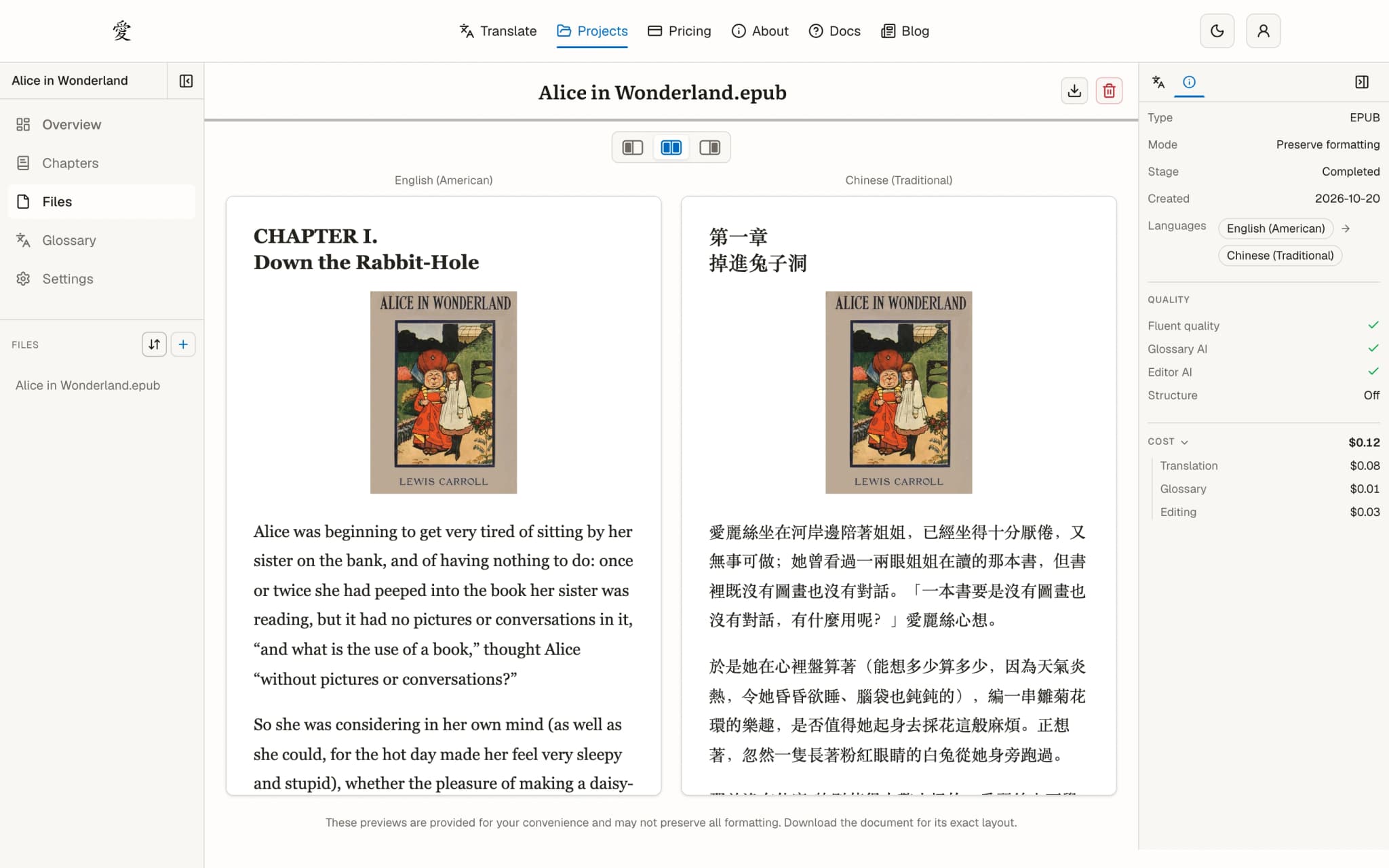
A clearer home for uploaded books - Files now has its own place in each project, with an upload flow that saves your draft in this browser. Open a file to follow its progress, preview its contents, or download the original and completed translation.
-
Glossary editing close at hand - Search and edit terms in the project glossary or beside your chapter. The updated controls make importing, exporting, and removing entries easier to find, including a delete shortcut when you hover over a row.
-
Choose the look that suits you - Use light mode, dark mode, or follow your system setting. The redesigned navigation and workspace also adapt to smaller screens.
-
New guides with a book to follow along - Our updated documentation walks through translating Alice in Wonderland, from uploading a file and trying a sample to refining the glossary and downloading the finished book. Start with Translate your first book.
Have feedback on the new workspace? We'd love to hear it — reach out at support@ainoveltranslation.com.