Docs
Getting Started
Sign Up and Free Credits
Every AI Novel Translation account comes with free credits — no credit card required. This gives you enough to try a sample translation and see the quality firsthand before committing.
Your First Translation: Start with a Sample
The best way to learn is to try it. Here's what we recommend:
1. Create a Project
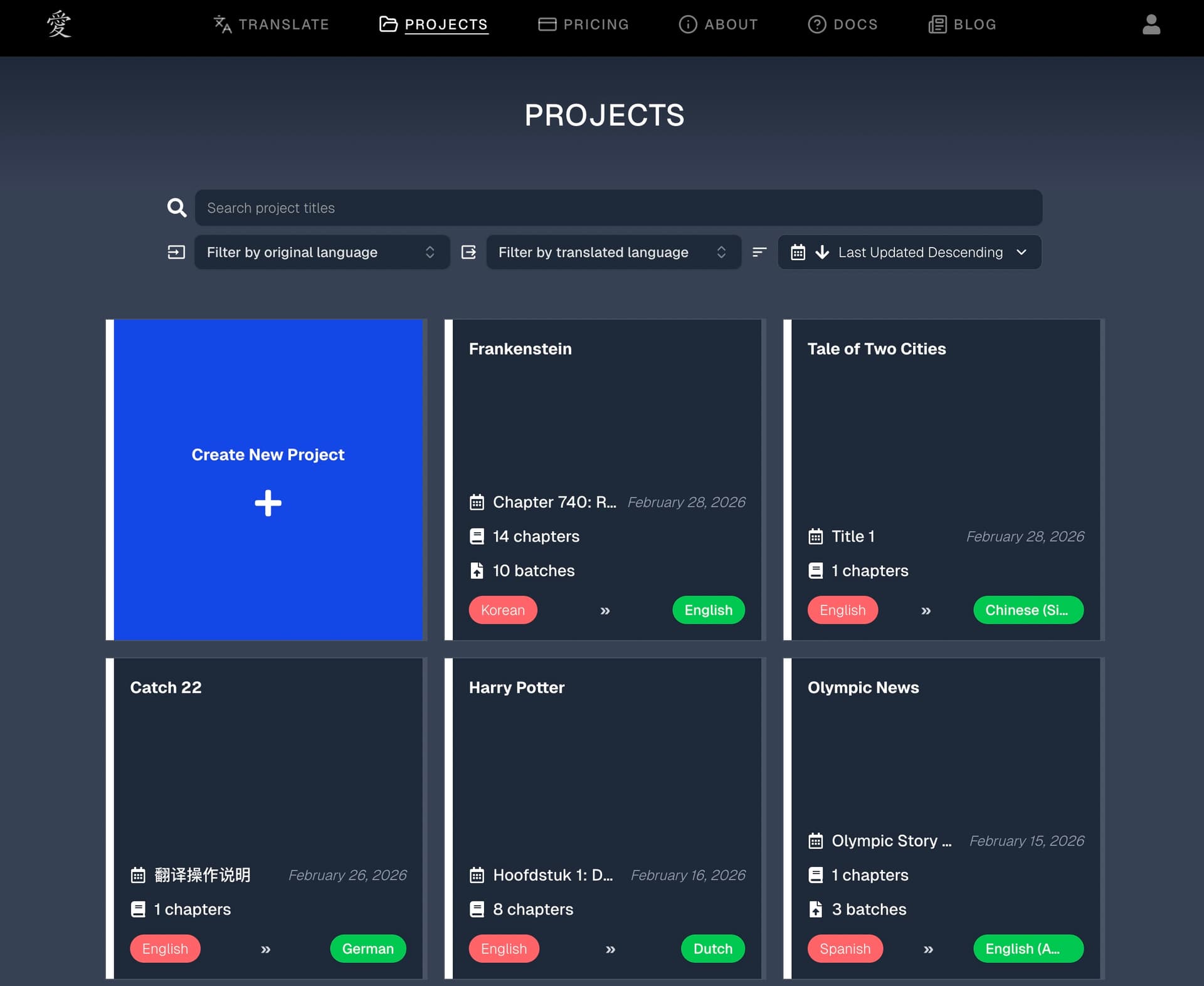
After signing up, head to the Projects page and click Create New Project. This automatically creates a project for you with default settings. From there, you can adjust the project's language pair and custom instructions as needed.
2. Try a Short Sample
Click on a chapter within your project, or hit Translate in the navigation bar, to open the chapter translation interface. Paste a short passage (a few paragraphs) of text you'd like to translate and hit Translate.
This is the fastest way to:
- See the translation quality
- Understand how the pipeline works (glossary generation, translation, editing stages)
- Get a feel for the settings before using them on a full document
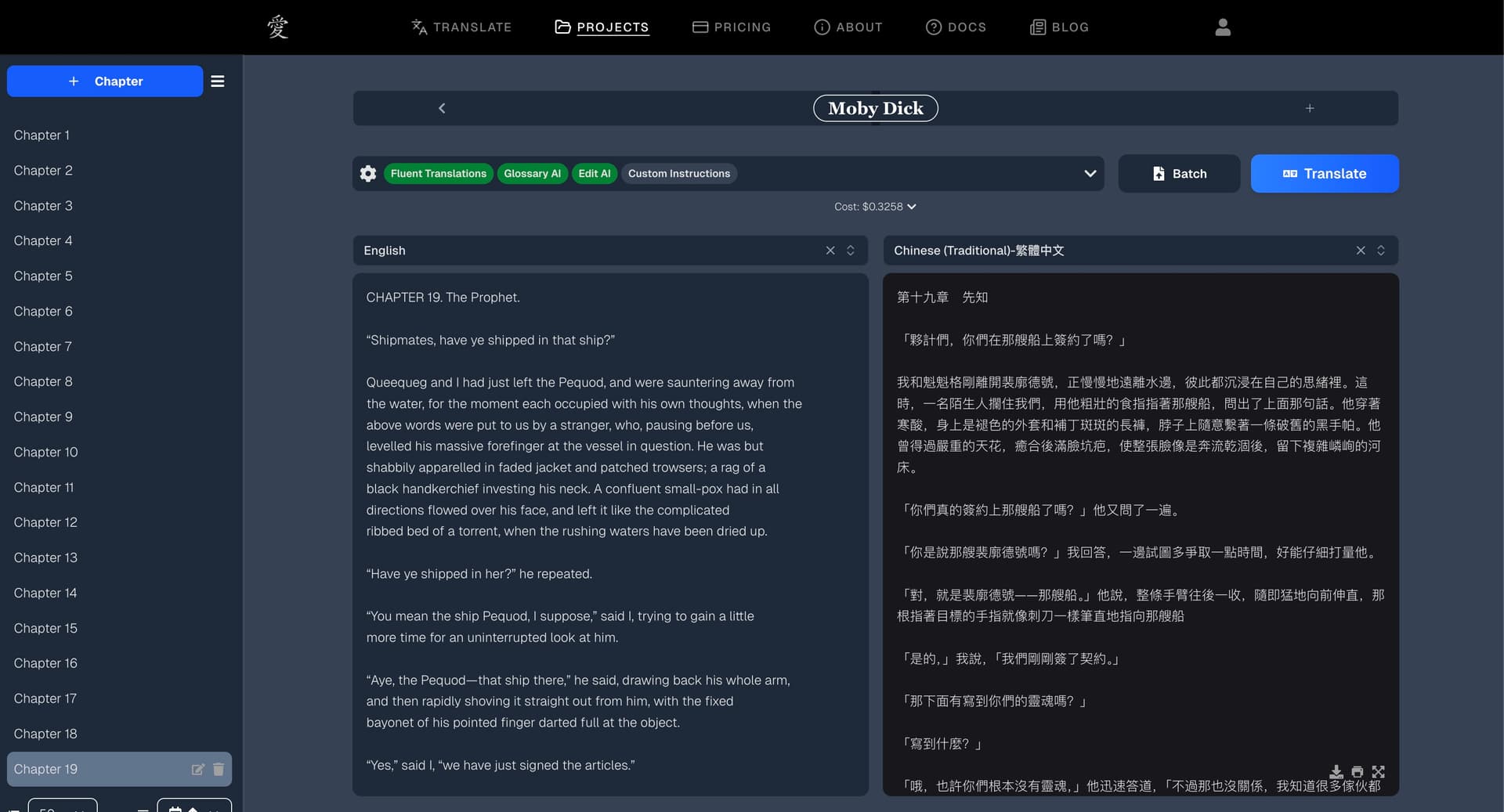
Tip: On free credits, longer texts are automatically trimmed to a sample length. You'll see the full quality — just on a shorter excerpt. Purchase credits to translate the full text.
3. Experiment with Settings
All AI features (Glossary AI, Editor AI) are enabled by default and recommended for the best results. The main things to experiment with are:
- Custom Instructions — Add style notes like "Use formal language" or "Keep Korean honorifics untranslated." This is the single most powerful way to adapt translations to the unique voice and characteristics of your story.
- Glossary — After your first translation, review the auto-generated glossary terms. You can edit, add, or remove entries to fine-tune how character names and key terms are translated going forward.
See the Chapter Translation guide for a full breakdown of every setting.
4. Share Feedback
We're constantly improving based on user feedback. If something feels off, a translation could be better, or you have a feature request — let us know. Check our changelog to see what's new, and don't hesitate to reach out at support@ainoveltranslation.com.
What's Next?
Once you're comfortable with the quality and settings:
- Chapter Translation — For translating raw text with full control over each chapter
- Batch Translation — For translating entire documents (DOCX, EPUB, TXT) at scale or preserving formatting
- Glossary Management — For maintaining consistent terminology across a project
- Pricing and Credits — For understanding costs and adding funds