Docs
Pricing and Credits
AI Novel Translation uses a credit-based system. You add funds to your account, and credits are deducted as you translate. There are no monthly minimums or translation limits — you only pay for what you use.
How Credits Work
- 1 credit = $1 USD of translation capacity
- Credits are deducted when a translation completes
- Your balance is shown on your account page
Free Credits
Every new account receives free credits on signup — enough to try a sample translation and see the quality. No credit card required.
On free credits, longer texts are automatically trimmed to a sample:
- Fluent Mode: First ~1,000 characters translated
- Basic Mode: First ~2,500 characters translated
You'll see the full translation quality — just on a shorter excerpt. Purchase credits to translate the full text.
Translation Costs
Cost depends on three factors: text length, quality mode, and which AI features are enabled.
AI Features
Each feature adds a cost on top of the base translation:
| Feature | Default |
|---|---|
| Translation (base) | Always on |
| Glossary AI | On (recommended) |
| Editor AI | On (recommended) |
| Structure AI (batch only) | On (recommended) |
Pricing Calculator
Adjust character count, quality mode, and AI features to estimate costs for your specific text. See the pricing page for more details.
Translation Settings
Estimated Cost
95+% cheaper than industry rates*
*Saving you an estimated $4,973.56 based on professional human translation industry rate ($20 per 1k characters)
Subscription Plans
Subscriptions are optional but give you bonus credits and additional features. See the pricing page for full details.
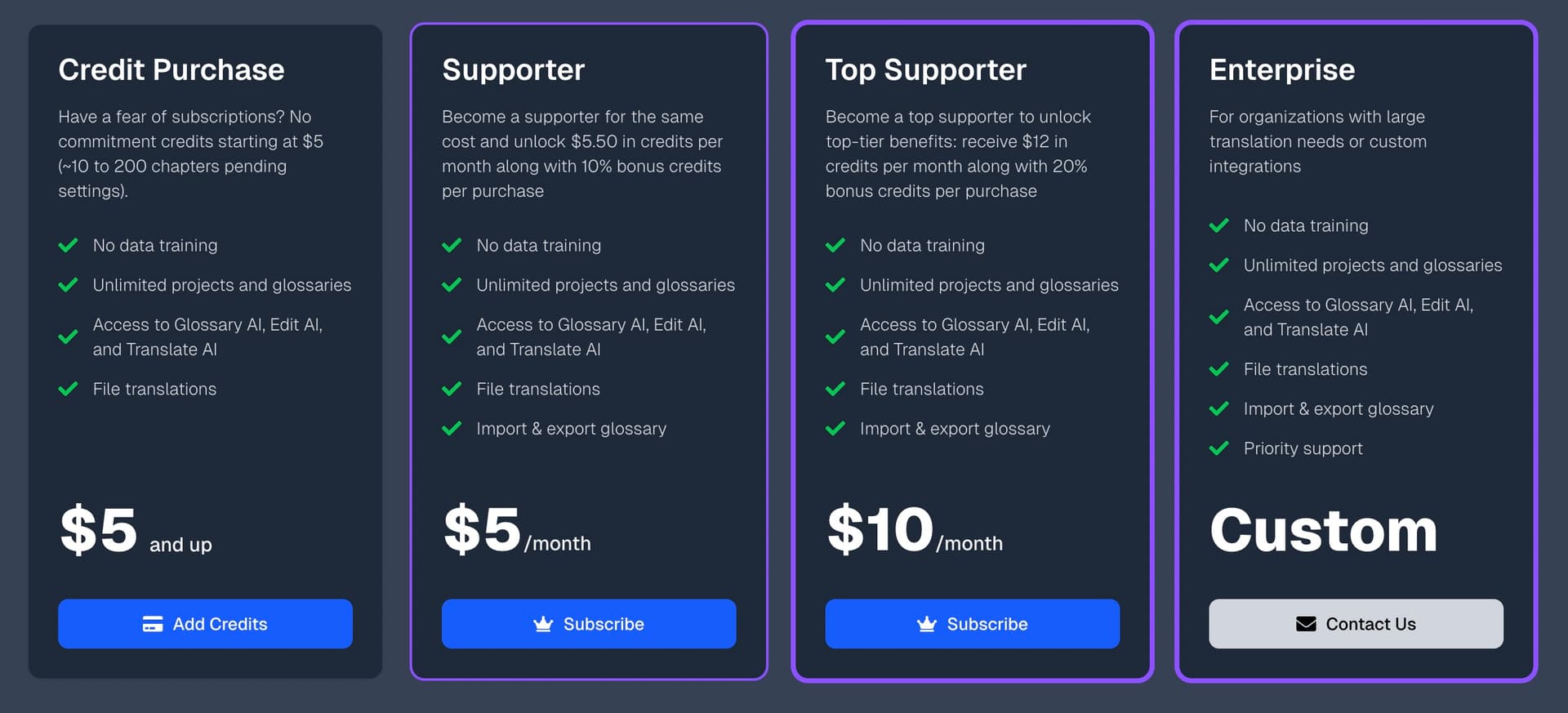
Key difference: The subscription multiplier applies to all credit purchases, not just the subscription cost. If you're a Top Supporter and buy $50 in credits, you'll receive $60 worth of translation capacity.
Adding Credits
One-Time Credit Purchase
- Go to your Account page or the Pricing page
- Click Add Credits
- Enter the amount you'd like to add ($5 minimum, up to $1,000)
- Complete payment via Stripe — accepts most standard payment methods depending on your location, including credit card, Apple Pay, Google Pay, Amazon Pay, crypto, and more. See the pricing page for details.
- Credits are added to your balance immediately
Subscription Payments
If you have a Supporter or Top Supporter subscription:
- Your subscription fee is charged monthly
- The subscription itself gives you the credit multiplier benefit on all purchases
- You still add credits separately as needed
Managing Your Subscription
- Go to Account → Manage Subscription
- This opens the Stripe billing portal where you can:
- Change your plan
- Update payment method
- View billing history
- Cancel your subscription
Checking Your Balance
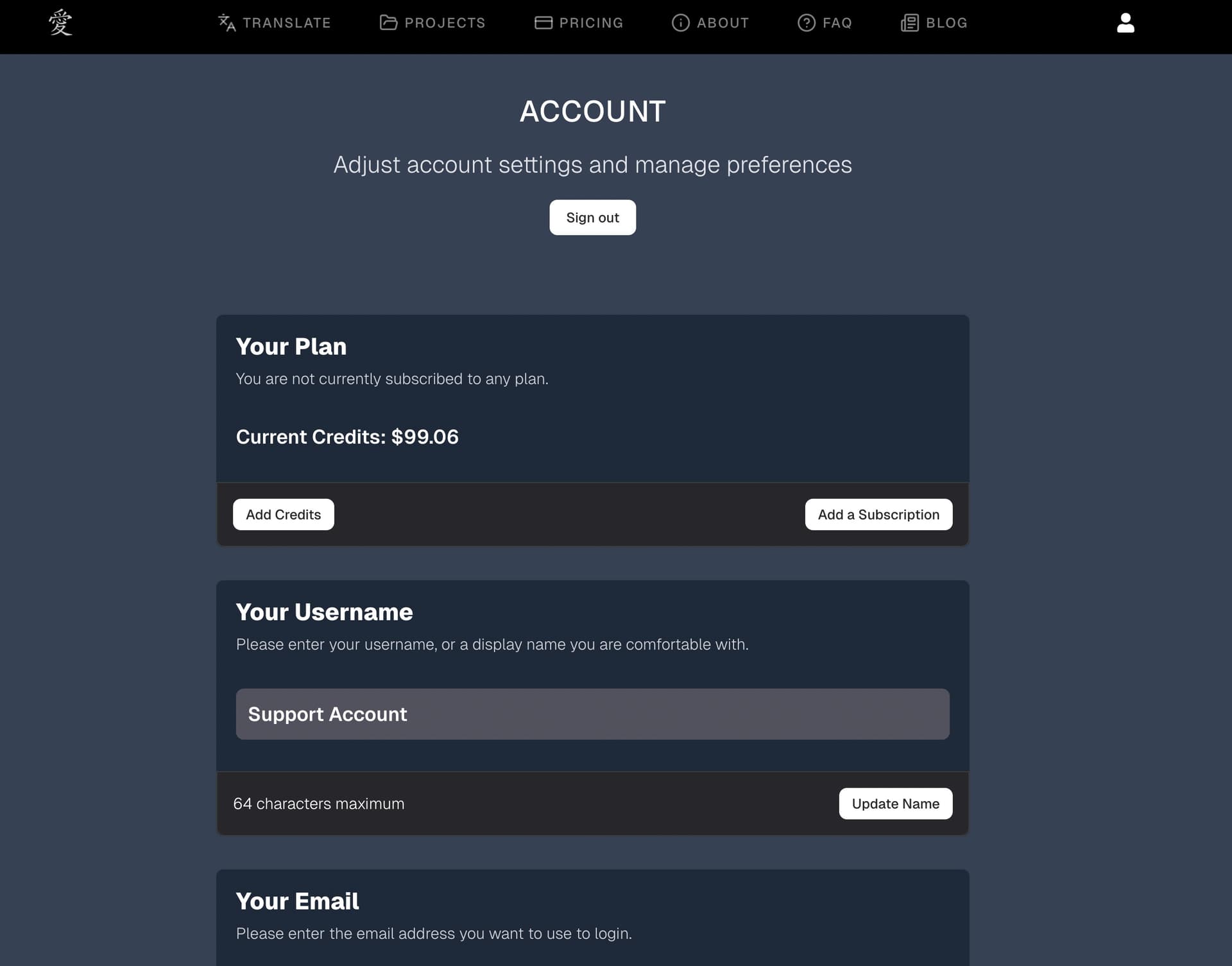
Your current balance is visible:
- On your Account page
- During the Review step of batch translation (before starting)
Insufficient Credits
If you try to translate text that costs more than your balance:
- Chapter translation: The system translates a sample of the text (truncated to what your balance can cover) and notifies you
- Batch translation: The review step shows a warning before you start, so you can add credits first
Tips
- Start with free credits. Try a sample before buying anything.
- Subscribe if you translate regularly. The 10–20% credit bonus pays for itself quickly.
- Check the pricing calculator. Get an estimate before translating a large document so there are no surprises.
- Watch for the balance warning. If your balance is low, the system translates a truncated sample. Top up before translating long text to avoid partial results.